
In the whirlwind of the past year, we’ve uncovered the pitfalls of recycling passwords – a real-life drama starring the 23andMe breach and the ever-growing menace of credential stuffing. Imagine hackers getting hold of your reused passwords, unlocking the gate to your most sensitive accounts. Scary, right? Fear not! Enter password managers, the superheroes of our digital age. They not only liberate you from the memory maze of countless logins but also champion the cause of crafting unique, fortress-like passwords.
Quick Look: How do password managers roll?
Think of them as express vaults, keeping your online secrets safe and sound. Password managers are like magical wizards that remember all your complex passwords, so you don’t have to. No more sticky notes on your desk – we promise!
Are password managers the real deal?
Absolutely! Despite sounding like putting all your eggs in one basket, password managers are like Fort Knox for your digital life. Multiple layers of security, including secret keys and master passwords, make them the superheroes of online security. Plus, most follow a “zero-knowledge” policy, ensuring your data stays yours.
Who needs password managers?
Everyone on the express train to a hassle-free digital life! Families, friends, even your cat – because who doesn’t want to share Netflix securely? It’s the key to smooth password sharing without the risks of texting them or using those sticky notes that never stick.
Are they worth the ride?
You’re probably already on this ride without realizing it! But if you want a universal key that works seamlessly across all your devices, or if you’re tired of being tied to one brand, a third-party password manager is the golden ticket. Consider features like regular health reports, bug bounty programs, and encryption standards for the safest ride.
Quick Overview
1Password
Top-tier password manager
- Starting from $3/month for individuals, $5/month for families, and additional options for teams and businesses
- Boasts industry-standard encryption, a secret key, and a zero-knowledge policy.
- Features an intuitive interface across mobile and desktop apps.
BitWarden
Ultimate free password manager
- Free plan with unlimited passwords. Paid options available.
- Based on open-source code, allowing public audits for enhanced security. Recently added passkeys and two-factor authentication options.
- Comes with a straightforward interface, customizable options, and ease of access to password vaults.
NordPass
Seamless cross-platform accessibility
- Free plan with unlimited passwords. Premium plan starting at $2/month.
- Introduces biometric data for sign-ins and ensures secure vault access. Offers features like security notifications and item sharing.
- Known for its simplicity and ease of switching between devices. Introduces biometric data for swift logins, catering to users who frequently switch devices.
Hackspress Picks
1. 1Password
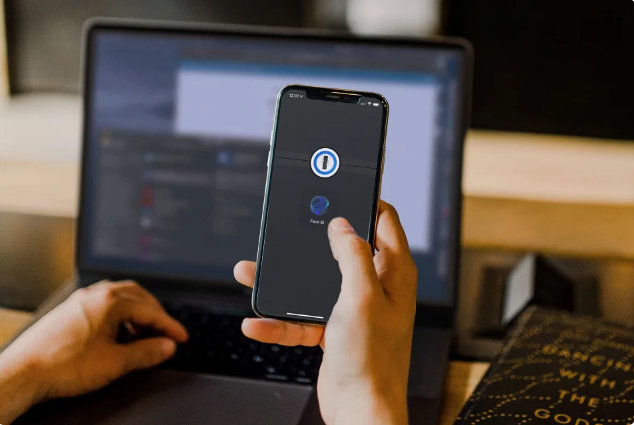
1Password emerges as a top-tier password manager, prioritizing robust security with industry-standard encryption, a unique “secret key,” and a zero-knowledge policy. Despite a recent incident, it swiftly addressed suspicious activity, ensuring no compromise of user data. Introducing advanced authentication with passkeys, 1Password offers a seamless user experience, including intuitive design, strength ratings, and efficient sharing options at $3/month for individuals and $5/month for families. With streamlined integration through setup code scanning, 1Password combines strong security measures with user-friendly features, making it a standout choice in the digital realm.
2. BitWarden
Bitwarden takes the crown as the ultimate free password manager, offering a three-tiered plan with a free option that includes unlimited passwords on an unlimited number of devices. While it has some limitations, like sharing vault items with only one other user, the perks outweigh the tradeoffs. Based on open-source code, Bitwarden allows public audits on GitHub for enhanced security. Personal security audits, including data breach reports, keep users informed about potential vulnerabilities. Widely compatible across various platforms, it recently added passkeys and two-factor authentication options for secure sign-ins. For those opting for additional features, the paid version at $10 annually for individuals or $40 for families provides encrypted file storage, emergency access, unlimited sharing, and more. Whether going for the free or paid version, Bitwarden ensures a seamless start to efficient password management.
3. NordPass
NordPass emerges as the go-to password manager for seamless cross-platform accessibility, offering a three-tiered plan. The free version provides unlimited passwords and device syncing, while the $2/month premium plan adds features like continuous login, security notifications, and item sharing. A family subscription, priced at $4/month, includes six premium accounts, making it an affordable choice. Noteworthy for its user-friendly approach, NordPass facilitates easy vault access across devices and introduces biometric data, like fingerprints or facial recognition, for swift logins. If constant device-switching is your routine, NordPass ensures a hassle-free experience, making those extra seconds count.
Disclaimer: Life-Hackspress provides an overview of password managers, including options such as 1Password, BitWarden, and NordPass, based on data collected from various sources. We have not personally tested these options and recommend users conduct their own research and consider individual preferences, security needs, and budget constraints before selecting a password manager. The information presented here is for informational purposes only, and Life-Hackspress does not endorse or guarantee the performance, security, or features of the mentioned password managers. Users are encouraged to review the official websites and user reviews of these services for a more comprehensive understanding of their capabilities. 🔐🚨 #LifeHackspress
🔐💻📱 #PasswordManagerComparison #LifeHackspressSecurity